 Neginato
Bit-perfect by design
Byte-exact, native-rate audio to your DAC. Acquire the device once and hold it across tracks, pause, and seeks; same-rate seeks reposition in place without touching it.
Neginato is a native macOS player for your own local, lossless library. It sends audio straight to your DAC — byte-exact, at the source's native rate, with no hidden processing and nothing to configure — so what reaches your speakers or headphones is the file, untouched.
Free · Signed & notarized · Requires macOS 26 or later
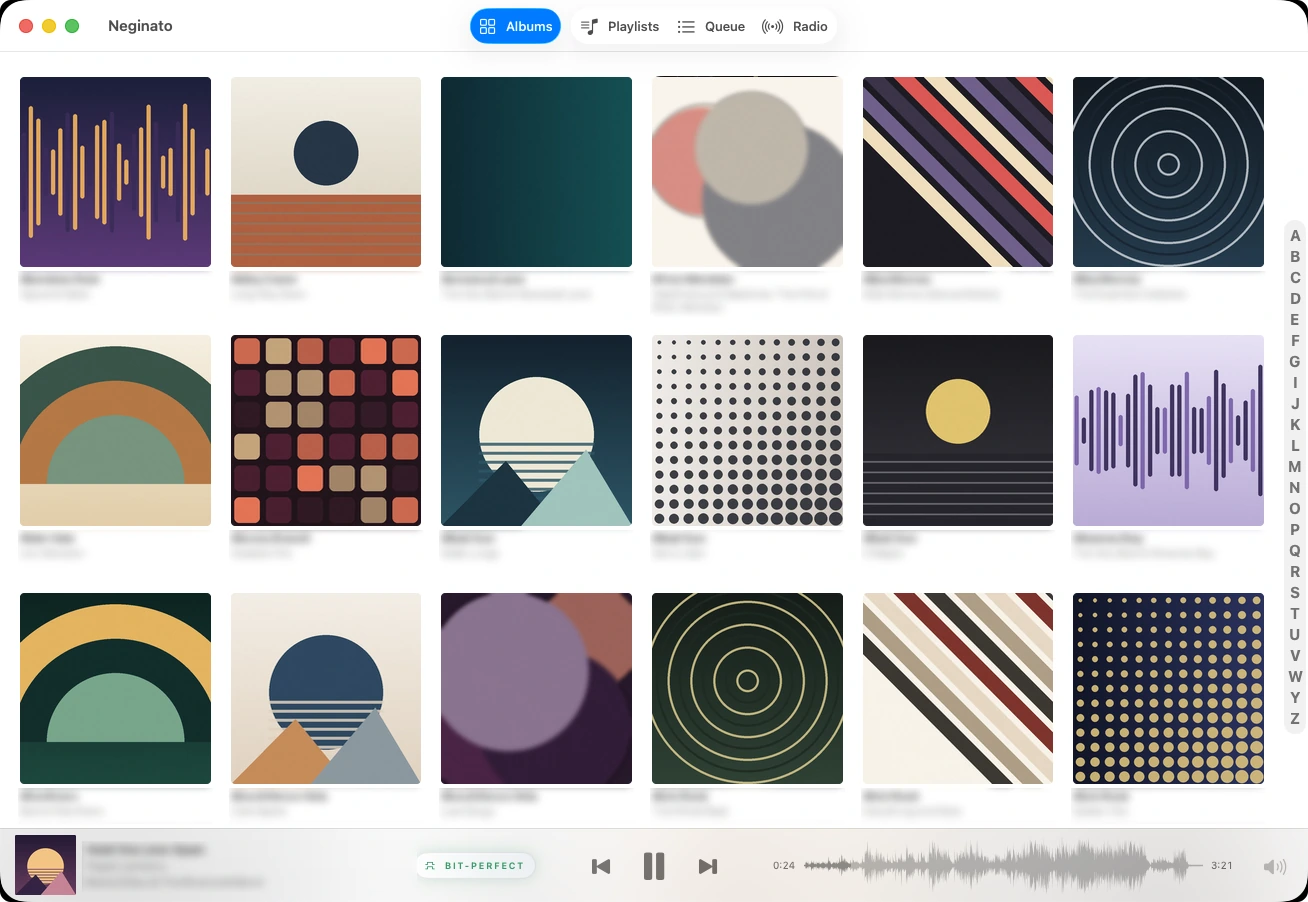
Neginato plays through a raw Core Audio HAL output engine — not AVFoundation — so it can hand your DAC the exact bytes in the file, and prove it on screen.
Byte-exact, native-rate audio to your DAC. Acquire the device once and hold it across tracks, pause, and seeks; same-rate seeks reposition in place without touching it.
A BIT-PERFECT pill sits in the Now Playing bar and goes green only when the whole path is verified clean. Hover it for the verdict, the source format, its bit depth and rate, the DAC's running rate, and the DAC buffer — and, when it's amber, the exact reason why.
Consecutive same-format tracks cross the boundary render-accurately — no click. Integer-first output when the DAC offers it, automatic exclusive access on every device (nothing to switch on), and hardware-only volume so passthrough is never touched.
The Now Playing bar shows a two-tone waveform of the whole track that doubles as a scrub bar — played darker, upcoming lighter — precomputed off the real-time path so it never disturbs playback.
An album-artwork grid, ordered by album artist, with a ⌘F Spotlight panel that finds and navigates instead of filtering — every album stays in place — plus an A-to-Z index and a SwiftData index so relaunch after the first import is instant, with no re-scan.
One list of stations you saved. Add them from a public directory — searchable by name or genre inside the Add Station dialog — or paste a link. Live ICY "now playing" text and the stream's bit rate show in the bar.
Create, edit, and reorder playlists — each with an automatic 2×2 mosaic cover built from up to four distinct album covers — add tracks or whole albums from anywhere you browse, and save the current queue as a playlist in one step.
Opt-in, and entirely offline. Auto DJ keeps the queue topped up forever with tracks it picks from music you already own — no account, no API key, no service — matching on artist, genre, era, and the waveform Neginato already drew.
Proof, not promises. Green is deliberately strict. The pill lights only when the device granted exclusive access, the engaged format carries every source bit through unaltered, the DAC is running at the file's own rate with no fallback, the channel counts agree, the source depth is known and carried in full, and no dropout has occurred. Hover it and it names the verdict — or, in amber, the exact reason.

Amber is a heads-up, not an error: sometimes the signal really did change, and sometimes nothing changed but Neginato can't prove it — like a device that refuses exclusive access. The card tells you which.
Download Neginato for macOS — free, with no accounts and no subscriptions to hear your own music. Just a player that gets out of the way of the signal.
Free · Signed & notarized · Requires macOS 26 or later